
PPPoker - USA - Holdem, Omaha
Green Shield Digital LimitedBoard
4.271.00 Reviews
- Version
- 4.2.140
- Installs
- 10.00K
- Age Rating
- Teen
Screenshots




Our Review of PPPoker - USA - Holdem, Omaha
 Analysis by Appyee
I approached PPPoker - USA - Holdem, Omaha as a poker app first, but what stood out during my time with it was how much the experience depends on clear visual reading, steady interaction, and the social setting around each table. It is a free board game from Green Shield Digital Limited, built around poker sessions that can feel more personal than a quick solo card game. The app is aimed at Teen users, runs on Android 6.0 or later, and includes optional purchases priced from $4.49 to $4.99 per item.
That combination makes it interesting for players who want to join poker games with friends or explore a broader poker community from a phone. It is less convincing for someone who wants a quiet, highly simplified card game with no social pressure. I found that distinction important: the strongest part of the app is not simply dealing cards, but giving players a place to sit at a table and follow a shared game.
How the tables feel to read and navigate
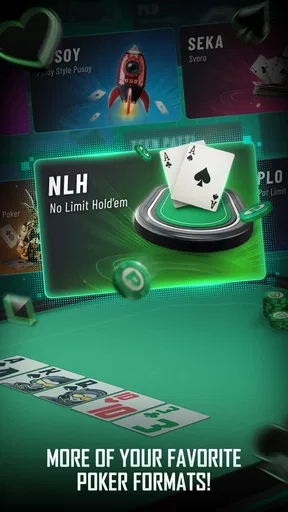
The main challenge in a mobile poker game is information density. A table has to show the community cards, each player’s position, chip amounts, turn status, and available actions without making the screen feel chaotic. PPPoker keeps the focus on the table, which is the right choice for Hold’em and Omaha, but new players still need a moment to understand where to look before acting.
I recommend spending time observing a few hands before making important decisions. That simple habit helps separate the cards in the middle from the cards belonging to each player, while also giving you time to recognize whose turn it is. For experienced poker players, the layout should feel familiar enough to follow. For beginners, the first sessions can be more about learning the visual rhythm than about making clever plays.
Navigation matters even more when moving between social games and regular play. The app’s identity is closely tied to home games and playing with friends, so I would not treat it like a basic offline poker substitute. The useful mental model is a collection of tables and poker sessions rather than a single game screen. If you are joining a friend’s game, keep the invitation or table details easy to find before leaving the current screen. That avoids unnecessary back-and-forth when several tables are active.
Readable poker information is more valuable than decorative table design. When I play on a small phone, I naturally hold the device closer and pay more attention to the center of the table and my own action controls. A larger screen is more comfortable because it gives the player more room to inspect the table without constantly shifting attention.
The app has a 4.2 average from over two hundred ratings, which suggests that many players find the overall experience workable, while still leaving room for individual differences in comfort. A rating alone cannot tell me whether a particular player will find the interface easy to use, so I would judge it mainly by the kind of poker session you want. If you already understand table positions and betting decisions, the learning curve is lighter. If poker terminology and turn order are new to you, the visual presentation may take practice.
Small habits that make the interface easier
I found three practical habits especially useful. First, avoid starting a serious session while distracted. Poker requires checking several pieces of information at once, and a rushed tap can be more damaging than a slow decision. Second, use a stable grip or place the phone on a surface when possible. That reduces accidental touches during a fast hand. Third, pause between hands to confirm that you are in the table you intended to join, particularly when switching between a private game with friends and a more open poker environment.
These are not glamorous tips, but they address a real weakness of mobile poker: the screen is compact, and the player’s attention is divided between reading the table and controlling the device. PPPoker works best when you treat each hand as a short sequence that deserves a little concentration rather than tapping through it like a casual puzzle.
Different abilities, devices, and playing situations
I find that visual comfort is only one part of whether a poker session works well; the setting matters just as much. In the section that follows, I’d look at how attention, device handling, and a group’s pace can change the experience, so you can judge whether a table fits your everyday situation.
Visual readability and sensory comfort
Players with good contrast sensitivity and comfortable close-up vision will have an easier time reading a poker table on a phone. Players with low vision may need to enlarge system text or use display settings that make the device easier to read, although those adjustments can reduce the amount of table information visible at once. That is the trade-off I would expect here: improving text visibility may mean more scrolling, tighter framing, or more frequent checking of the table.
Color perception can also matter in any card-table interface, especially when status, turns, or emphasis are communicated through visual changes. I would not rely on color alone when deciding whether it is your turn or interpreting a table state. Instead, look for the player position, action controls, and card information together. If you regularly struggle to distinguish similar colors, test the app during a low-pressure game rather than entering a competitive session immediately.
Sensory comfort is another consideration. Poker tables can involve repeated visual updates and a steady stream of decisions. Some players will enjoy that pace, while others may find it tiring, particularly during a long session on a bright screen. Reducing surrounding glare, lowering screen brightness to a comfortable level, and taking breaks between games can make the experience less demanding. These adjustments are simple, but they can determine whether the app feels welcoming or exhausting.
For users who depend on screen readers, magnification, switch controls, or other assistive tools, the important question is whether the essential table information and action controls remain understandable with their preferred setup. I would test that personally before committing to regular play. Poker is unusually dependent on exact timing and precise interpretation, so a control that is merely usable in a menu may still be difficult to use during a live hand.
Motor control and the cost of a mistaken tap
Mobile poker can be demanding for people with tremors, limited dexterity, or difficulty making quick, accurate touches. The problem is not only opening a menu. During a hand, the player may need to choose an action while also reading cards and tracking the table. If a control is close to another control, or if the phone is being held one-handed, the risk of an unintended action becomes more serious.
My advice is to play seated with both hands available whenever possible. A stable position gives you more control than trying to play while walking, carrying something, or balancing the phone on your palm. It also makes it easier to pause and verify the selected action. If your motor control varies from day to day, use a friendly home game as a practical test environment before joining a more demanding session.
Players who cannot comfortably tap small targets may prefer a tablet or a phone with a larger display. That does not change the game itself, but it can improve the space available for cards, player names, and action areas. The compromise is portability: a larger device is less convenient for spontaneous play, while a smaller device is easier to carry but more demanding to read and control.
One non-obvious point is that social poker can amplify motor pressure. In a solo game, a delay or mistake affects only your own progress. In a shared table, you may feel rushed because other people are waiting. I found that remembering this helps: a short pause to confirm the table and action is usually better than reacting to imagined pressure. Players who need more time should choose friendly sessions where the pace and expectations are comfortable.
Playing with interruptions and unreliable attention
PPPoker is not the kind of game I would recommend for a commute where you may need to put the phone away without warning. A poker hand has continuity, and an interruption can leave you returning to a changed table or an action that needs immediate attention. The same applies to noisy environments, conversations, or workplaces where you cannot give the screen consistent attention.
A realistic everyday use case is an evening home game with friends. I can imagine opening the app after dinner, joining a planned table, and keeping the phone on a stand while the group talks through the session. In that setting, the social side is a strength because the game gives everyone a shared activity. The weaker use case is waiting in a crowded place while trying to follow a hand between announcements. The app may be available, but the situation is not suitable for careful poker.
Players with hearing loss may find a visual poker table more practical than a game that depends heavily on spoken instructions, but social coordination still matters. If friends are arranging a home game through another channel, make sure the table information is clear before you start. Players who cannot easily communicate in real time may prefer a group that agrees on simple, predictable routines for joining and leaving sessions.
What the app is good at for inclusive group play
The home-game focus can make poker more approachable for people who are uncomfortable entering an unfamiliar competitive environment. Playing with people you know allows the group to agree on a pace, explain the rules, and give a new player room to learn. That is a meaningful advantage over anonymous tables, where a beginner may feel exposed after making a basic mistake.
It also creates room for different playing styles. One friend may be learning Hold’em, another may already know the basics, and someone else may simply enjoy the social routine. The group can decide how much explanation is welcome and whether the session should be relaxed or serious. In my view, this flexibility is more important to accessibility than a polished table theme.
At the same time, the app is not automatically inclusive just because it supports games with friends. The group itself has to provide patience and clear communication. A private table can be welcoming, but it can also become uncomfortable if experienced players rush newcomers or treat every hand as a test. I would choose the people and pace carefully, especially for a first session.
Where the remaining barriers show up
The first barrier is the basic complexity of poker. Hold’em and Omaha are not games that can be understood fully by glancing at the screen. Players need to follow betting, card combinations, turn order, and changing probabilities. The app can provide the table, but it cannot remove the mental work required to play responsibly. Anyone who finds multi-step decisions tiring should begin with short, low-pressure sessions.
The second barrier is the difference between a free download and the possibility of optional spending. PPPoker is free to install, but in-app purchases range from $4.49 to $4.99 per item. I would set a personal spending boundary before playing and avoid treating purchases as part of the basic cost of learning the game. This is especially important for shared devices or younger users, since the content rating is Teen and the social setting may encourage longer sessions.
The third barrier is device compatibility and age. The current version is 4.2.140, and the app supports Android 6.0 or later. That covers many older Android devices, but compatibility alone does not guarantee a comfortable experience. A phone with a small display, weak battery, or limited performance may make a visually busy poker table harder to manage. I would check the practical comfort of the device, not just whether the operating system meets the requirement.
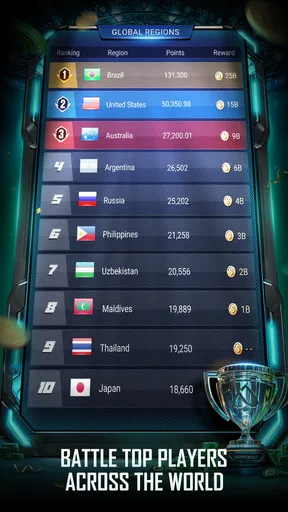
The fourth barrier is social confidence. A player may understand poker but still dislike joining a table where other people are waiting. The app’s global and home-game character means the social layer is central rather than incidental. If you want complete privacy, no interaction, and no concern about keeping up with others, a conventional offline poker game may be the better choice.
There is also a difference between poker practice and poker entertainment. A traditional single-player card app is often better for learning hand rankings or experimenting without pressure. PPPoker is more suitable when the point is to participate in a table with other people. I would not replace a simple practice app with it if your main goal is quiet repetition, especially while adapting to the rules.
Who should choose it, and who should skip it
I would recommend PPPoker to players who already enjoy Hold’em or Omaha, want to play with friends, and are comfortable reading a compact table on a mobile device. It is also a reasonable option for a group that wants to create a regular home-game routine without sitting around the same physical table. The social structure can make the experience feel more purposeful than playing against an anonymous computer opponent.
I would be more cautious about recommending it to someone who has never played poker, has difficulty reading small screens, or needs generous time between actions. Those players may have a better first experience with a slower tutorial-focused game, a larger tablet display, or a patient friend who can explain the table step by step. The app can be part of that learning path, but I would not assume it is the easiest starting point.
I would also skip it if you are looking for a completely offline pastime, a minimalist interface, or a game that can be abandoned at any moment without affecting anyone else. PPPoker’s appeal comes from shared play, and shared play naturally brings timing, attention, and social expectations.
My inclusive verdict after using it
PPPoker is most accessible when the player, device, and table environment are chosen deliberately. A stable phone position, comfortable display settings, a familiar group, and short sessions can remove much of the avoidable friction. The app’s free entry point makes it easy to try, while the home-game orientation gives friends a useful way to create a shared poker session.
Its limitations are equally clear. The table can be demanding for vision and motor control, interruptions are poorly suited to live hands, and poker’s mental complexity remains even when the interface is understandable. Optional purchases also deserve a firm personal boundary. These are not reasons to reject the app outright, but they are reasons to decide how and where you will use it before joining a serious game.
Green Shield Digital Limited has positioned this as a board game for poker communities rather than a solitary card exercise. With over ten thousand installs and seventy-one reviews, it has a modest but established audience, and its average rating of 4.2 reflects a generally positive reception. My final view is favorable for social poker players who value home games and already know what kind of table they want. For accessibility-conscious users, I would treat the first session as a practical fit test: use the largest comfortable screen available, play with people who respect your pace, and confirm that the cards and actions remain easy to follow before making PPPoker part of your routine.
Verdict
Strengths of PPPoker - USA - Holdem, Omaha
- Supports both Texas Hold’em and Omaha poker formats.
- Private clubs make it easy to play with selected friends.
- Available on both Android and iOS devices.
- Club-based games offer a more social poker experience.
- Useful for players seeking stakes and tables beyond casual games.
Limitations of PPPoker - USA - Holdem, Omaha
- Real-money play may involve financial risk and should be approached cautiously.
- Club and table availability can vary depending on your location.
- Some features may require joining an active private poker club.
- The interface can feel busy for newcomers unfamiliar with club poker.
- Performance may depend on a stable internet connection.
Similar Picks in This Category
View All
Ludo King®
Gametion4.1

Ludo
Yarsa Games4.6

Tile Master® - Matching Game
Higgs Studio3.6

Checkers Online
CC Games4.6

Dominoes
Loop Games4.7

Chess
Chess Prince4.6
Frequently Asked Questions
What is PPPoker - USA - Holdem, Omaha?
PPPoker - USA - Holdem, Omaha is a mobile poker platform focused on online Texas Hold’em and Omaha games. After exploring the app, its main appeal is the variety of tables, private clubs, tournaments, and community-based play. It is designed for players who want to join existing groups or create their own poker club, although the available games and features can vary by region and account status.
Can I play Texas Hold’em and Omaha on PPPoker?
Yes. PPPoker supports popular Texas Hold’em formats and Omaha poker, giving players more variety than an app limited to one game type. Depending on the current lobby, you may find different table limits, tournament structures, and club games. New players should review the rules and betting format carefully before joining, because Omaha generally requires using exactly two hole cards and can feel more complex than Hold’em.
Is PPPoker - USA - Holdem, Omaha free to download and play?
The app may be available to download without an upfront purchase, but that does not necessarily mean every game is completely free. PPPoker commonly uses club-based play and may include games involving real-money stakes or other financial arrangements, depending on the region and operator. Before depositing, joining a paid game, or sharing payment details, carefully check the app’s current terms, fees, and local legal requirements.
Is PPPoker safe and legal to use in the United States?
Safety and legality depend on your location, the specific club or game you join, and how the platform operates in your jurisdiction. PPPoker may connect players through independently managed clubs, so standards can differ between groups. Before using the app, verify that online poker is permitted where you live, read the privacy and payment policies, enable account security features, and avoid clubs that provide unclear information about funds or withdrawals.
What should beginners know before joining a PPPoker club?
Beginners should first learn the basic rules of Hold’em or Omaha, understand blinds and betting rounds, and practice with low-risk or free options whenever available. Club quality can vary, so investigate who manages the club, how balances are recorded, and what withdrawal procedures apply. Never assume that every club offers the same support or reliability, and set a strict spending limit before participating in any game involving money.
Play our best games!


